Set up or add money to my GoDaddy Cash account
If you have a paid product or service, you can set up a GoDaddy Cash account to pay for GoDaddy products.
Krav:
- To start a new GoDaddy Cash account, we require a minimum deposit of USD$100. After your first transfer, the minimum deposit is USD$5.
- Du måste inkludera ditt kundnummer i fältet Ref: KUNDNUMMER . Om ditt kundnummer inte ingår kommer kredit till ditt konto att försenas på obestämd tid.
- För API-återförsäljare är detta kundnummer det överordnade kontonumret som visas på kontrollpanelen för återförsäljarcentret.
- To set up or add funds to a GoDaddy Cash account, you can either:
- Add funds with an online payment to your GoDaddy Cash account.
- Initiate a wire transfer from your bank to GoDaddy. Here's the information you need for the wire transfer:
Mottagarens banknamn : JPMorganChase Bank
Bankadress: 270 Park Avenue, New York, NY 10017
Kontonamn : GoDaddy.com, LLC
Kontonummer : 580706823
Kabeldragningsnummer : 021000021
ACH-routingnummer : 124001545
Snabbkod : CHASUS33
Ref: KUNDNUMMER
- After we receive the funds from your bank, the new GoDaddy Cash account appears in your Payment Methods page. If you added funds, the current balance is updated.
Required: If your current balance is more than USD$2000, you must verify your personal or business identity before you can spend the funds. Continue with the next step.
- In your Payment Methods page, select GoDaddy Cash.
- Välj Verifiera nu . Vi ber dig tillhandahålla information för att bekräfta din personliga eller affärsidentitet. OBS! Vår partner Persona utför verifiering för att följa federala bestämmelser. För mer information, se Vad är Persona?
How do I check my GoDaddy Cash balance?
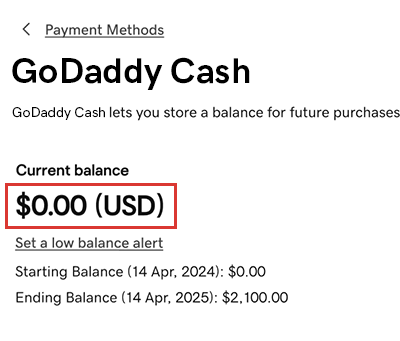
In your Payment Methods page, select GoDaddy Cash. The current balance is shown (in USD) on the GoDaddy Cash card.
Mer information
- Add another payment method to your account, like a credit card or bank account.
- Return funds from and close my GoDaddy Cash account